Authyo | OTP

Passwordless Authentication

How OTP Authentication Reduces Login Fraud in 2026
otp authentication

How OTP Authentication Reduces Login Fraud in 2026

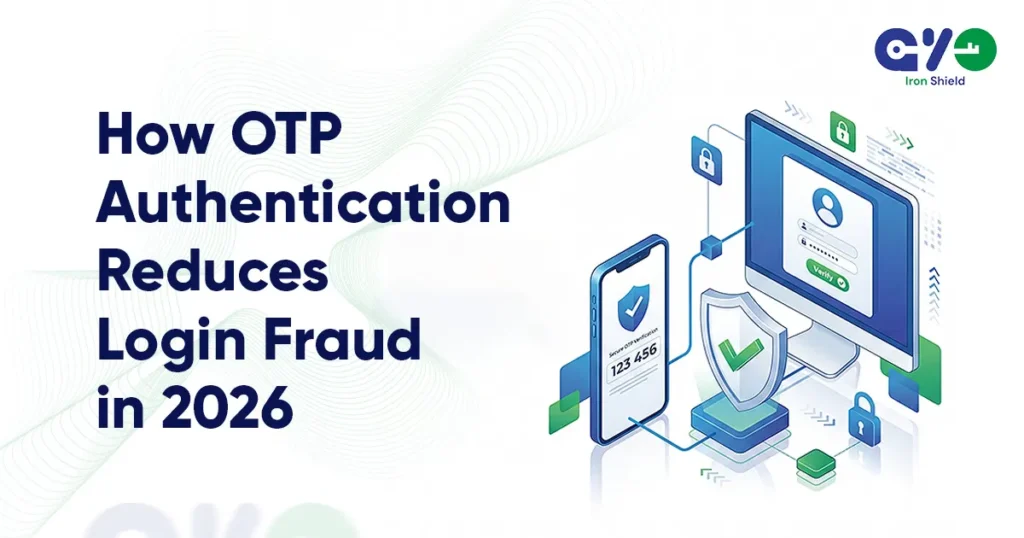
Each unsuccessful login attempt, a password reset request, or a hijacking attempt results in some inconvenience along the customer journey. For expanding SaaS platforms, eCommerce, and digital venues, authentication isn’t just a security measure anymore. In fact, it has an impact on the completion of onboarding, building user trust, reducing support workload, and increasing revenues. At the same time, companies are being pressured to provide swift and effortless access that is simple to use. It is common for customers to want to be able to register and log in on the spot, often utilizing multiple gadgets and changing their place. That means, a company is face-to-face with a problem: how can it raise security levels while not irritating users with extra steps? That is the biggest reason why a lot of companies implement OTP authentication as one element of a modern identity strategy. When combined with passwordless experience, multi-channel verification, and smart authentication procedures, OTPs allow companies to decrease login fraud and, at the same time, preserve an excellent user experience. What Is OTP Authentication and How Does It Work? OTP authentication controls the generation of a temporary verification code that can only be used for one login or verification session. The code is generally delivered through a secure communication channel such as SMS, email, WhatsApp, or the authenticating app. User access is granted after entering the code within a specified time period. The code is no longer valid after use, which greatly increases the difficulty for hackers in reusing any stolen credentials. Contrary to standard passwords that can be used for a long time until changed, one time password authentication issues a new credential for each authentication event. This lowers the security threats that come from password reuse, phishing attacks, and credential theft. Contemporary secure login systems not only rely on OTP verification but also integrate it with device detection, session tracking, rate limiting, and risk-based authentication to establish a more dependable and secure login mechanism. Rising Login Fraud Threats Businesses Face in 2026 The methods used in login fraud are still changing and developing. Hackers are now using automation more and more instead of relying solely on hacking skills. They get large password lists that have been leaked in previous breaches and then try to log in to different sites with bots using those username-password combinations in credential stuffing attacks. Businesses regularly experience threats like: On the other hand, users’ behavior remains the leading cause for security issues. Many people still continue with the practice of using the same password across various services, pick weak credentials, or simply abandon the signup process if it looks too complicated to them. Just finding suspicious activity won’t suffice for robust login fraud prevention. One would also have to make sure that the individual who is attempting to get the access is really the real account owner, and at the same time, not disturb the user experience. How OTP Authentication Prevents Unauthorized Access A user’s password is a symbol of what one knows. An OTP is one of the factors that confirm that the same user still has access to the trusted device or communication channel at that instant. The one-time password is the second factor in a two-factor authentication, which makes it very difficult for an attacker who has obtained through phishing, credential stuffing, or a data breach the login credentials of the victim, because he usually cannot carry out the complete authentication without the OTP. Thanks to using this second level of verification, companies can: Ultimately, there are fewer fraud cases, less customer support and account recovery activities, and so on. Those enhancements have a great direct influence on both risk management and customer retention for the companies that the business deals with, including payments, subscriptions, customer data, and sensitive transactions. Why Password-Based Logins Are No Longer Enough Passwords were initially created for a very basic digital environment. At present, it is estimated that users have at least a dozen accounts with their work, shopping, banking, and entertainment platforms, among others. So, it’s almost impossible for users to remember the credentials of all the services they use. That’s why password reuse is very common. Using password-only authentication has these implications: For this reason, many businesses are moving towards passwordless authentication techniques. Instead of requiring users to come up with passwords and remember them, authentication could be done based on a user having a verified phone number, email address, or other factors of identity that are trusted. This not only enhances security but also makes it more user-friendly. Besides the security benefits, the desire for a better experience is also motivating users to prefer passwordless authentication. Quick access frequently means quite a bit higher onboarding success and better product use. Role of Multi-Channel OTP in Fraud Prevention Reliable delivery is one of the major problems in authentication. Users receiving the code at the time of need is the only way a verification process would be successful. Relying on a single communication channel could bring unnecessary login failures and onboarding drop-offs. Because of this, companies are nowadays using multi-channel authentication strategies that allow: When one channel encounters delays, network problems, or is subject to regional restrictions, the verification request can be sent via a different channel. This not only supports authentication reliability but also user experience. As an example, a SaaS platform may implement OTP verification in the processes of account registration, device login, password recovery, and performing high-risk actions. Through multi-channel delivery, users are not unnecessarily delayed in completing these workflows. Also, for corporations operating in various countries and regions, delivery flexibility turns out to be as important as security. Benefits of OTP Authentication for eCommerce and SaaS The advantages of OTP-based verification are great and go far beyond just security. Quicker User Onboarding Users verify their identity swiftly without complicated passwords. This lessens the likelihood of users abandoning the signup process and also helps them to get to the product feature faster. Enhanced Login Success Rates Issues in authentication
How to Implement Passwordless Authentication - Authyo
Passwordless Authentication

How to Implement Passwordless Authentication?

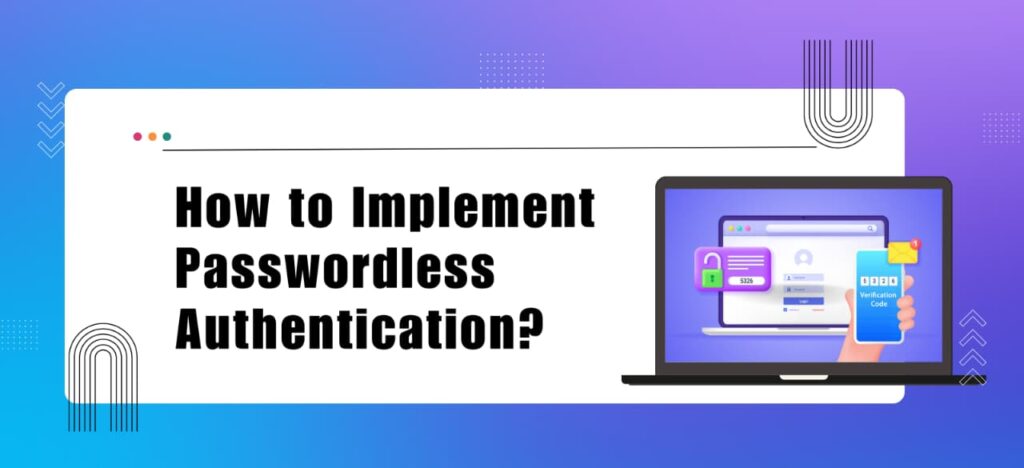
Passwords were once considered secure. Today, they are one of the biggest weaknesses in digital security. Data breaches, phishing attacks, and credential stuffing incidents continue to expose how fragile password-based systems really are. At the same time, customers forget passwords, abandon logins, and flood support teams with reset requests. In fact, recent studies show that global cyberattacks continue to rise in 2026, with thousands of attacks occurring daily. For businesses, this creates a double problem. Weak security increases risk. Poor login experiences hurt conversions and customer trust. This is why passwordless authentication is gaining serious attention. Instead of relying on something users know, like a password, it verifies identity through something they have or something they are. The result is stronger protection and a smoother login experience. For modern SaaS platforms, fintech apps, ecommerce brands, and enterprises, the shift is already underway. However, it is not as simple as it sounds to implement passwordless authentication. In this guide, you will understand: By the end of this guide, you will clearly understand the role of passwordless authentication and how you can implement it in your business. So, without any further delay, let us dive in What is Passwordless Authentication? Passwordless authentication is a modern way to verify identity without asking users to enter a traditional password. Instead of using something a user remembers, like a secret phrase, it relies on safer options such as biometrics, cryptographic keys, or trusted devices. With this approach, users do not need to create, store, or manage passwords. That removes many common risks, including phishing attacks, brute force attempts, and credential reuse. At the same time, it makes access faster and simpler for users. In short, passwordless authentication replaces fragile passwords with stronger, more reliable identity verification that improves both security and user experience. Read More: What Is Passwordless Authentication? A Beginner’s Guide How Passwordless Authentication Works? Passwordless authentication lets people log in without using a password. Instead, it verifies identity through a fingerprint, face scan, one-time code sent by SMS or email, a magic link, or a secure passkey stored on a device. It improves security and makes login easier because it uses something you have, like your phone, or something you are, like your fingerprint, instead of something you need to remember. Why Are Businesses Moving to Passwordless Authentication? Here are some key reasons why businesses are considering passwordless authentication: Types of Passwordless Authentication Methods Some popular types of passwordless authentication methods are: How to Implement Passwordless Authentication? 6 Simple Steps Here are six simple steps to implement passwordless authentication: Step 1. Audit Your Existing Authentication System Start by reviewing your current login setup. Check how passwords are stored and validated. Review reset flows and session handling. Identify weak areas. Confirm whether your system supports modern authentication standards. Step 2. Define Clear Security and Business Objectives Be clear about your goal. Do you want to stop account takeovers? Do you want faster logins? Do you want lower support costs? Your objective will guide your implementation decisions. Step 3. Select the Right Passwordless Method Choose a method that fits your users. Passkeys provide strong protection. Biometrics offer fast access. OTP and magic links work well for large user bases. Pick what balances security and ease of use. Step 4. Partner with a Specialized Authentication Provider Passwordless authentication requires strong technical expertise. Building it internally can increase risk. A trusted provider like Authyo helps you deploy faster. It ensures a secure architecture from the start. Step 5. Build a Secure Enrollment Process Registration must be secure. Users should verify their identity before enabling passwordless login. Devices and credentials must be properly linked. A weak enrollment process creates long-term risk. Step 6. Implement, Integrate, and Test Carefully Update your login system to remove password validation. Integrate the new method properly. Start with a small user group. Monitor results closely. Refine before full rollout. Use Cases for Passwordless Authentication Here are some popular use cases: Challenges and Considerations for Passwordless Authentication Here are some common challenges of adopting passwordless authentication in any business: Why Do Businesses Choose Authyo For Implementing Passwordless Authentication? Passwordless authentication is easy to talk about. It is hard to execute correctly. That’s where businesses choose Authyo due to: Authyo helps businesses implement passwordless authentication without complexity. It improves login success rates while maintaining strong security and scalability. Start free today and see how Authyo simplifies secure authentication for your business. Conclusion Passwords were built for an earlier internet. Today, they create more risk than protection. They make accounts easier to hack. They frustrate users who forget them. They increase support costs and slow down growth. For modern businesses, this is no longer sustainable. Passwordless authentication offers a better way. It strengthens security. It makes login faster. It reduces friction for users and pressure on support teams. When done right, it improves both protection and user experience. We hope this guide helped you clearly understand what passwordless authentication is and how you can implement it step by step in your business. It is the right time to implement it as this shift is happening across industries.If you are ready to move beyond passwords, start free with Authyo and build a secure authentication system your users can trust.

10 Leading Companies for Passwordless Authentication
Passwordless Authentication

10 Leading Companies for Passwordless Authentication

Passwords are no longer enough to protect modern businesses. Most breaches still begin with stolen or reused credentials, making traditional login methods a serious risk. This is why passwordless authentication is quickly becoming the new standard. However, adopting passwordless authentication is not as easy as it sounds. It requires the right technology, proper integration, and expert guidance for a secure end-to-end setup. That is why we have listed 10 leading passwordless authentication companies to help you choose the right partner for your business. In this guide, you’ll explore: So, without any further delay, let’s dive in! What Is Passwordless Authentication? Passwordless authentication is a login method that does not require a traditional password. Instead of relying on something you remember, it verifies your identity using a trusted device or biometrics like a fingerprint or face scan. Since there is no password to store or reuse, it reduces the risk of phishing, credential theft, and forgotten passwords. 10 Leading Companies for Passwordless Authentication Here are ten leading companies for passwordless authentication: 1. Authyo Authyo is built for businesses that want strong authentication without making the login process complicated. It lets companies verify users through SMS, Email, or WhatsApp, which makes it flexible for different markets and user preferences. Instead of forcing one rigid method, it gives options that actually work in the real world. It is also designed to be easy to implement. Developers can plug it into apps using simple APIs and SDKs, without rebuilding their entire system.  For growing companies that want secure login and reliable delivery without enterprise complexity, Authyo offers a practical and scalable path. Key Highlights: 2. Okta (Okta Identity Engine) Okta is one of the biggest names in identity management. Many large companies already use it to control employee and customer access. With FastPass, Okta allows users to log in without typing passwords, reducing phishing risks and improving security. What makes Okta strong is its ecosystem. It connects with thousands of apps and gives IT teams centralized control over users, policies, and access. If you are a large organization that needs structure and governance, Okta is often on the shortlist. Key Highlights: 3. Microsoft Entra ID (Azure AD) If your company already runs on Microsoft, Entra ID feels like a natural extension. It supports Windows Hello, security keys, and Microsoft Authenticator, so users can log in using biometrics or trusted devices instead of passwords. Because it integrates directly with Microsoft 365 and Azure, it fits smoothly into existing environments. For businesses deeply invested in Microsoft tools, this can simplify both deployment and management. Key Highlights: 4. HYPR HYPR takes a very clear stance: passwords should not exist. Its entire platform is built around eliminating shared secrets and replacing them with secure, device-based cryptography. It focuses heavily on enterprise security and phishing resistance. If your main goal is to stop credential theft at the root level, HYPR’s passwordless-first approach is designed specifically for that. Key Highlights: 5. Cisco Duo Cisco Duo is known for making security simple. Instead of typing a password, users approve a login request on their phone using Duo Push. It feels familiar and easy, which helps with adoption. Duo also checks device health before granting access. That means it does not just verify the user, but also the device they are using. It is widely used in workforce environments because it balances security with ease of use. Key Highlights: 6. Auth0 (Okta Customer Identity Cloud) Auth0 is popular among developers because it gives them control. It supports passkeys, magic links, biometrics, and fully customizable login flows. For product teams building SaaS platforms or mobile apps, Auth0 makes it easier to embed authentication directly into the user experience. It is flexible enough for startups, but scalable enough for growing platforms. Key Highlights: 7. Yubico Yubico is known for its physical security keys called YubiKeys. Instead of relying on passwords or codes, users insert or tap a hardware key to log in. Because authentication is tied to a physical device, phishing attacks become extremely difficult. Yubico is often used in high-security environments where protecting sensitive accounts is critical. Key Highlights: 8. Ping Identity Ping Identity focuses on large, complex organizations. It combines passwordless authentication with broader identity orchestration tools. It also uses adaptive security, which means it evaluates risk in real time before granting access. For enterprises that need flexibility, compliance, and advanced identity control, Ping provides a comprehensive platform. Key Highlights: 9. Beyond Identity Beyond Identity removes passwords entirely and ties authentication to secure devices. It follows a zero-trust model, which means every login attempt is verified carefully. Instead of just checking credentials, it validates the device’s security posture as well. This approach is especially useful for organizations adopting zero-trust security frameworks. Key Highlights: 10. Trusona Trusona focuses on passwordless login using FIDO2 and passkeys. It also protects high-value transactions with anti-replay technology, which prevents attackers from reusing intercepted login data. Its approach is often used in financial services and other industries where transaction security is critical. It aims to remove passwords while keeping the user experience smooth. Key Highlights: How to Choose the Right Passwordless Authentication Company? Not every passwordless provider is built for the same type of business. The right choice depends on your size, industry, technical setup, and security priorities. Here are the key factors to consider before choosing a company: Your Security Requirements If you operate in finance, healthcare, or government, you need phishing-resistant solutions like FIDO2, passkeys, or hardware-based authentication. High-risk industries should prioritize vendors that eliminate shared secrets entirely. Your Existing Tech Stack Some companies work best inside specific ecosystems. For example, if you run heavily on Microsoft tools, Microsoft Entra ID may integrate more smoothly. If you already use an IAM platform like Okta or Ping, compatibility matters. User Experience Expectations Workforce authentication and customer login are different. Employees may accept stricter controls, while customers expect speed and simplicity. Choose a provider that matches your audience. Integration and Deployment Complexity Large enterprises may need advanced

Which is Best Between Passwordless Authentication Vs Password Manager Systems?
Passwordless Authentication

Which is Best Between Passwordless Authentication Vs Password Manager Systems?

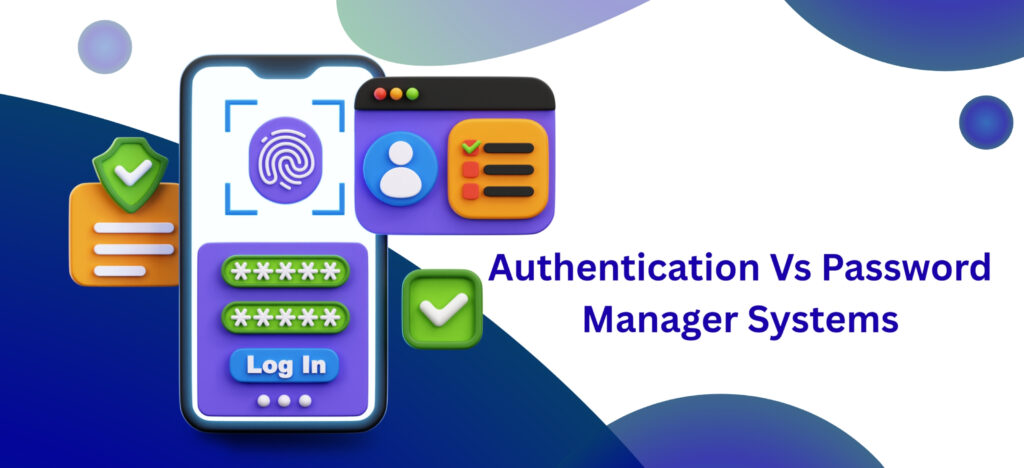
Did you know that passwords are the weakest link in cybersecurity? In fact, stolen credentials remain one of the most common entry points for data breaches. Phishing attacks continue to succeed because most people use the same few passwords for years. They think it is fine. But it is not. Today, organizations have two main options: Eliminate passwords entirely through passwordless authentication. Or manage them more securely using password manager systems. Passwordless authentication removes passwords and uses devices or biometrics to log in securely. On the other hand, password managers keep passwords but make them strong and store them safely in one place. However, many organizations are confused about which is better to choose. No worries. In this guide, you will understand: But first, let us begin with a basic understanding of Passwordless Authentication vs Password Manager Systems. What is Passwordless Authentication? Passwordless authentication is a way to log in without using a traditional password. Instead, it uses options like a fingerprint, face recognition, a trusted device, or a one-time code to log in. Behind the scenes, it often uses secure cryptographic technology to confirm your identity without storing a shared secret that hackers can steal. Because there is no password to reuse, guess, or phish, this method reduces common attack risks while making the login process faster and smoother for users. Types of Passwordless Authentication Here are five types of passwordless authentication: Pros and Cons of Passwordless Authentication Pros Cons What is Password Manager Systems? A password manager system is a secure application that keeps all your login details in one protected place. It creates strong and unique passwords for each account and saves them in an encrypted vault. Instead of remembering dozens of passwords, you only need one master password to access everything. This helps prevent password reuse, lowers the risk of hacking, and makes managing online accounts much simpler. Types of Password Manager Systems Here are five common types of password manager systems: Pros and Cons of Password Manager Systems Pros Cons Passwordless Authentication Vs Password Manager Systems: Key Differences Feature Passwordless Authentication Password Manager Systems Core Approach Removes passwords completely Stores and manages passwords securely in a vault Authentication Factor Uses something you have (device) or something you are (biometrics) Uses something you know (master password) to unlock stored credentials Security Level Very high. Phishing-resistant and no shared secrets to steal High. Depends on the strength and protection of the master password Security Mechanism Cryptographic key pairs such as FIDO2 or WebAuthn Encrypted vault, often protected with strong encryption like AES 256 User Experience Fast and seamless. Log in with fingerprint, face, or security key Convenient after unlocking. Requires master password once, then autofills Compatibility Growing support. Best for modern apps and platforms Works almost everywhere, including legacy systems Main Risk Device loss or recovery complexity Master password theft or weak password usage Implementation Effort Higher setup and transition effort Easy and quick to adopt Best For High security systems, finance, enterprise, modern apps Every day, web use, managing many accounts across platforms. Which is Best to Choose? There is no one-size-fits-all answer. The right choice depends on your security goals, technical setup, and the type of systems you use. Choose Passwordless Authentication If: Choose Password Manager Systems If: Why Do Businesses Trust Authyo for Passwordless Authentication? Businesses trust Authyo because it combines strong security with real-world practicality. Authyois not just an OTP provider. It is a complete authentication suite built for modern apps and websites. It supports passwordless login through SMS, Email, and WhatsApp OTP, along with multi-factor authentication options. That gives companies flexibility to choose what fits their users best. Why choose us? Ready to Strengthen Your Login Security? Start building secure, seamless authentication experiences with Authyo. Contact us today! Conclusion Passwords are no longer enough. They are easy to reuse, easy to steal, and often the first target in a cyberattack.  That is why businesses today are choosing between two smarter approaches, i.e., Passwordless Authentication vs Password Manager Systems. We hope this guide helps you understand the difference clearly and choose the approach that fits your security goals. Now, it is your turn to choose the right fit and find a trusted expert to set up authentication.

What is passwordless-authentication
Passwordless Authentication

What Is Passwordless Authentication? A Beginner’s Guide

Passwordless Authentication is a process of verifying one’s identity to access an application or a system without a password.  Instead of manually typing a password, you use a device or fingerprint. Thus, this passwordless login will be easier for users and harder for unauthorized users to compromise. As the world is becoming digital, it’s difficult to remember various passwords for your individual accounts. Be it your social media, banking, or any apps, each one asks for a different and complicated password along with your email. Learning too many passwords create confusion. Now imagine a scenario where you can log in without remembering a single password through a secure method.  It is possible through passwordless authentication, which is a secure and easy way to overcome this dilemma. How Passwordless Authentication Works Following  is a simple step-by-step explanation of how passwordless authentication works: When you use passwordless authentication, you are typically verifying yourself in one of two ways: Common Passwordless Authentication Methods There are so many ways to implement a passwordless login system. Each method offers a balance of security and convenience. 1) Biometric Authentication: It is the most secure method among all. It uses biological characteristic such as finger prints, facial recognition or iris scans.             Key features: 2) Magic Links: Magic links allows you  to log in by clicking a one-time link sent to your registered email address. Key features: 3) One-Time Passwords (OTP): OTPs are temporary codes sent via SMS or generated by an authenticator app. Key features: 4) FIDO2/WebAuthn: It is a modern standard that employs public-key cryptography. Key features: Passwordless Authentication Benefits Implementing a passwordless approach offers significant advantages over traditional passwords. Some of the key passwordless authentication benefits include: Passwordless authentication is a step forward for digital security. Indeed, it is a more secure and more convenient method to safeguard your digital world. Conclusion For businesses and developers looking to implement secure, scalable passwordless authentication, Authyo provides the tools needed to integrate modern authentication methods with ease. Authyo enables organizations to build secure, developer-friendly, and user-centric passwordless login solutions that enhance security without compromising usability.