
Simplify Magento Login with Authyo OTP Extension – Passwordless, Secure & User-Friendly
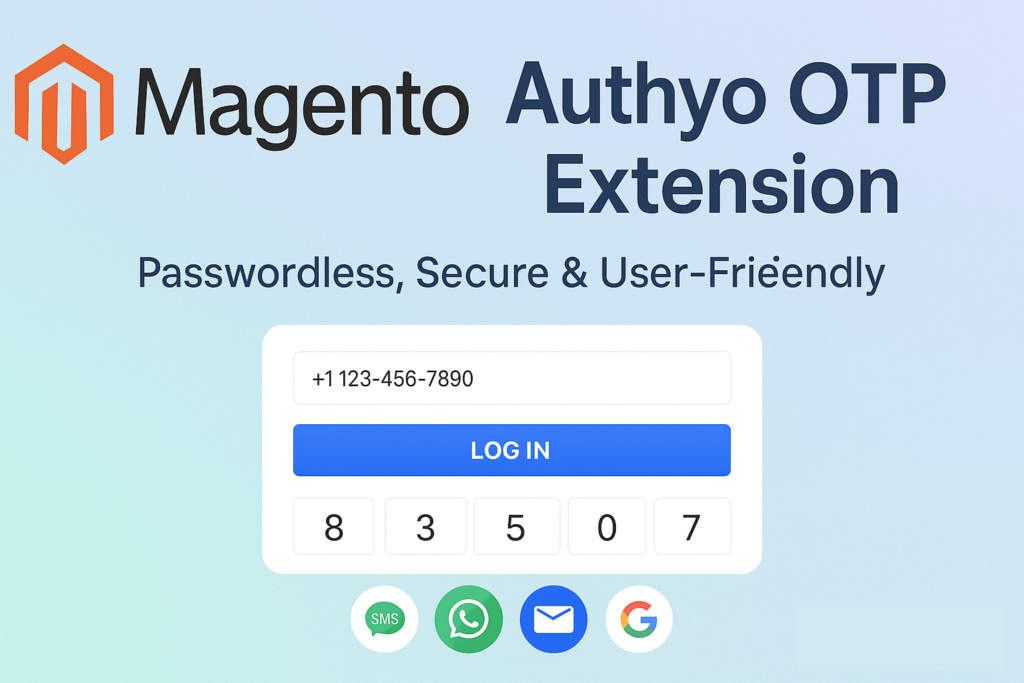
In the fast-moving world of eCommerce, your customers expect a frictionless experience—from browsing and checkout, to account creation and login. At the same time, you need strong security measures to protect user identities, guard against credential stuffing and abandoned sessions, and convert visitors into loyal customers.
That’s why we’re excited to introduce the Authyo OTP Extension for Magento — designed for Magento 2 (including Adobe Commerce) merchants who want to ditch the era of forgotten passwords, abandoned registrations and weak credentials.
Why Traditional Logins Are Holding You Back
Here’s what many Magento store-owners (and their customers) routinely face:
- Customers abandon registration or login because they can’t remember passwords, find the process tedious, or don’t want to deal with resets.
- Weak or reused credentials are a major risk — credential stuffing, phishing, and automated attacks are increasing.
- Every extra field, click or delay in the signup/login process adds drop-off.
- Password maintenance (resets, support requests) is a constant drain on your time and resources.
In fact, according to the extension overview:
“Many Magento merchants struggle with high login drop-offs and forgotten passwords … Password-based systems … expose stores to security risks such as weak or reused credentials.”
By removing barriers and making login seamless and secure, you can improve conversion rates, increase retention, and build trust. That’s where Authyo OTP comes in.
What Authyo OTP Offers
Let’s walk through the key features that make this extension a compelling upgrade for your Magento storefront:
- Multiple Login Options — Customers can sign in using SMS, email, WhatsApp, voice call or social login. No more relying solely on passwords.
- Customisable Widget — Match the login/register widget to your store’s branding: modify text, colours, logo and size so it integrates smoothly into your theme.
- Consent & Compliance-Ready — Add custom checkboxes for terms & conditions, privacy policy, or marketing opt-in during login/registration flows.
- Flexible OTP Settings — Configure the OTP length (4-9 digits) and expiry time to meet your business requirements and balancing user convenience with security.
- Dashboard & Analytics — Monitor login attempts, success/failure rates, and reasons directly from the Authyo dashboard — gain insight into user behaviour and optimisation opportunities.
- Full Magento Compatibility — The extension supports Adobe Commerce (cloud & on-premises) and Magento Open Source (version 2.4) at launch.
- Open Source & Lifetime Support — Licensed under OSL-3.0, with free lifetime updates and support.
Why You Should Consider Installing It
Here are the benefits you’ll see once Authyo OTP is active on your store:
- Reduced Login/Registration Friction – With fewer steps, fewer passwords to remember and multiple ways to authenticate, more users will complete registration, come back, and log in.
- Stronger Security, Less Risk – OTPs, voice/WhatsApp verification and social logins reduce the risks associated with reused or stolen credentials.
- Improved Conversion & Retention – Every abandoned login is a lost opportunity. By making sign-in smoother, you increase the chance of re-engagement and repeat purchases.
- Brand-Consistent User Experience – A login flow that looks and feels like your store builds trust—rather than feeling like a tacked-on add-on.
- Actionable Insights – Track real-time metrics: What’s the success rate of logins via SMS vs WhatsApp? Where are users failing? Then adjust your flows accordingly.
- Future-Proof Your Store – With support for the latest Magento versions and a third-party service like Authyo, you’re ready for new authentication methods or regulatory requirements down the line.
How to Get Started
Here’s a quick preview of how to roll it out:
- Sign up for an Authyo account (via the link in the extension listing). You’ll need API credentials to connect the service.
- On your Magento store (or Adobe Commerce site) install the Authyo OTP extension from the Adobe Marketplace.
- In the Magento Admin panel, navigate to the Authyo configuration:
- Enter your API key/secret.
- Choose which authentication methods to enable (e.g., SMS, WhatsApp, email).
- Set OTP length and expiry time as desired.
- Configure the widget styling and consent checkboxes.
- Test the login/registration flow from the frontend to ensure everything works.
- Monitor your Authyo dashboard for login metrics, failures, and conversions. Use that data to optimize your flow further.
Real-World Use Case: Turn A One-Time Visitor into a Loyal Customer
Imagine a visitor lands on your site via a seasonal campaign, browses quickly and wants to create an account to check out faster later. They’re busy, using a mobile device, and don’t want to remember yet another password. With Authyo OTP enabled:
- They choose “Login via WhatsApp” or “Login via SMS”
- Enter their phone number, receive OTP, authenticate in seconds
- No password to remember, no “forgot password” flow needed
- They’re logged in, purchase completed, you now have a verified contact method to engage them later with personalized marketing or abandoned-cart messages.
- By reducing friction at that crucial first step, you convert more visitors into long-term customers.
Final Thoughts
If you’re running a Magento or Adobe Commerce store and want to offer a modern authentication experience – one that reduces friction, improves security and helps you convert more users – the Authyo OTP Extension is a smart investment.
It’s not just about “another plugin” – it’s about transforming the way users interact with your store’s access system. Better login = happier users = higher engagement = stronger revenue.
Ready to elevate your Magento store’s authentication? Get started with Authyo today.