
Why Multi Factor Authentication Is Critical for Security Today
Many companies are unaware of how vulnerable their login systems are until something bad happens.
Usually, to give attackers access to user accounts, admin panels, payment systems, and customer data takes only three things: reused passwords, phishing emails, and employee credentials publicly leaked from a data breach.
The larger issue is that passwords were never intended for the way people are using digital products today. Users are responsible for managing dozens of accounts and frequently reuse their credentials across different platforms; they also have a propensity for forgetting passwords and expect fast log-in experiences across all devices.
As a result, companies are caught in a pickle where security has to be higher than ever, while at the same time, the friction related to logging into an account cannot create an issue for conversion. This is the reason why more organisations are using multi factor authentication as a usable component of modern login security.
Why Passwords Alone Put Your Business at Risk
The use of passwords as a form of verification has been reduced to only being an additional option, as relying on them exclusively produces excessive risk to your safety.
A vulnerability would be, for instance, using the same password on several sites. In most account set-ups, if the same password is used across the board, once the password is stolen, all social vendor financial accounts sharing the same password will also be compromised. A credential stuffing botnet group would use software to verify thousands of stolen passwords in minutes against many logins.
The evolution of phishing has helped the phished accounts to appear almost like real accounts, and the phishing scams are taking help of even more authentic inputs, i.e., examples include landing pages, fraudulent email links, and schemes based on social engineering for cloning the sites involved in the attack.
For businesses, the impact is rarely limited to security teams. Account takeovers affect customer trust, support operations, revenue, and retention. A compromised user account often becomes a customer experience problem before it becomes a technical one.
This is where multi factor authentication for business becomes important. Instead of depending on one verification layer, businesses can require additional proof that the person logging in is actually the account owner.
What Multi Factor Authentication Really Means
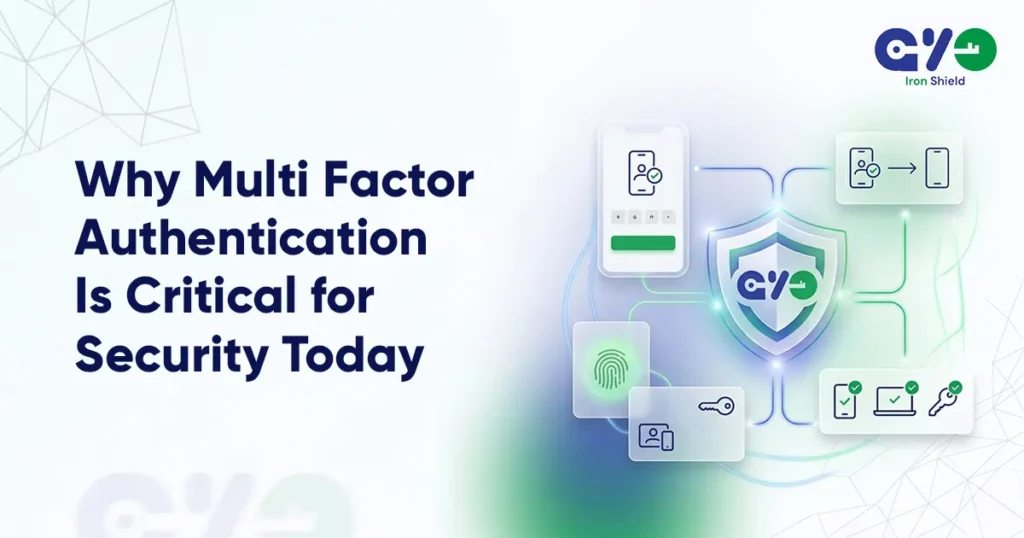
Multi factor authentication involves requiring one or more extra validation procedures when logging in or opening an account.
The authentication process does not just compare with a password, but confirms users with various types of authentication factors.
Something the user knows, password or PIN – A resource the user has, e.g., a phone, authenticator application, or security key.
A factor or trait that the user ‘is’ like a fingerprint or a face scan. If one factor is compromised, an attacker then requires access to the second level of verification.
MFA implementation for businesses is not limited to banking or enterprise applications anymore; SaaS applications, e-commerce companies, health-related applications, fintech tools, and even internal applications now implement MFA to limit unauthorized access and improve login security.
The most significant change is smarter, more tailored authentication. Most of the sites are now using trust-establishing location login or using history and risk factors instead of authentication every time.
Types of Authentication Factors & Their Importance
Businesses can successfully select the optimal security-user experience combination by knowing the type of authentication factors available. Modern business authentication security solutions often combine multiple verification layers to reduce account compromise without making access difficult for users.
Factors Based on Knowledge
PINs or Passwords remain one of the most frequently used methods of authentication because they are well known & easy to remember; however, they can be stolen easily via phishing, malware, or because they were previously used by someone else.
Possession Factors
These factors verify access through something the user physically owns.
This includes:
- SMS OTPs
- Email OTPs
- Authenticator apps
- Hardware security keys
- Trusted devices
Possession-based authentication provides a robust second level of security because an attacker must physically have access to the actual device; they cannot simply gain access through a username and password.
Biometric Factors
Biometric authentication uses fingerprints, facial recognition, or other unique biological traits as an alternative method to verify identity.
This authentication method improves convenience while reducing dependence on passwords, especially for users accessing accounts through mobile devices.
Modern mobile authentication experiences often rely on biometric verification to make logins faster, smoother, and more secure.
The best methods of implementing secure multi-factor authentication usually involve a balance between strong security and low login friction. Businesses increasingly use secure login with multi factor authentication to strengthen account protection while maintaining a smooth user experience. Companies that focus on usability alone may create an authentication method that users will discard, find another way around, or have difficulty completing.
MFA Fatigue Attacks and How to Prevent Them
As MFA adoption increases, attackers are also changing tactics.
One growing threat is the MFA fatigue attack. In this attack, users receive repeated push notifications asking them to approve login requests. Eventually, some users approve the request accidentally or simply to stop the notifications.
This type of attack targets user behavior rather than system vulnerabilities.
Strong MFA fatigue attack prevention strategies include:
- Limiting repeated authentication requests
- Using number matching during approval prompts
- Adding device and location checks
- Blocking suspicious login attempts automatically
- Monitoring unusual authentication activity
Businesses should also educate employees about unexpected verification requests. Repeated prompts should never be ignored or approved casually.
Authentication systems today need to evaluate context, not just credentials.
SMS vs Apps vs Passkeys: Which Is More Secure
The discussion around SMS vs authenticator apps security has become more important as businesses rethink login protection.
SMS OTP Authentication
One of the reasons that SMS OTPs continue to be a popular method of authentication is due to the ease with which they can be accessed and used.
They are particularly effective when it comes to onboarding new users and getting current users to adopt the platform, particularly if you have a large or non-technical user base.
However, there are some limitations with SMS authentication, such as:
- SIM swap attacks
- Message delivery delays
- Dependence on telecom networks
- Interception risks in some cases
Authenticator Apps
Authenticator apps generate verification codes directly on the user’s device.
Because they do not rely on SMS delivery, they are generally considered more secure for high-value accounts and internal systems.
They also reduce risks related to telecom-based attacks.
Passkeys and Passwordless Authentication
The conversation around passkeys vs MFA security best practices is growing because passkeys reduce dependence on passwords entirely.
Passkeys use cryptographic authentication tied to a trusted device. This makes phishing attacks significantly harder and creates a faster login experience for users.
For many businesses, passkeys are becoming part of advanced MFA authentication methods focused on both security and usability.
The right approach depends on platform risk, user behavior, onboarding goals, and the level of account protection required.
Why Businesses Need MFA to Prevent Cyber Threats
Businesses are no longer protecting only employee logins.
Today’s authentication systems protect customer accounts, payment access, APIs, admin panels, remote teams, and sensitive operational data.
This is why understanding how MFA prevents cyber attacks matters from both a security and business perspective.
MFA helps reduce:
- Account takeover attempts
- Unauthorized admin access
- Fraud-related activity
- Credential stuffing attacks
- Risks from stolen passwords
It also improves trust. Users are more likely to trust platforms that clearly protect account access without making login unnecessarily difficult.
Strong user authentication security systems also reduce support issues related to compromised accounts and password resets.
Risks of Skipping MFA: Security & Compliance Impact
Businesses that skip MFA increase both operational and compliance risks.
Without layered verification, a single compromised password can expose sensitive systems or customer accounts.
This creates higher exposure to:
- Data breaches
- Internal access misuse
- Financial fraud
- Customer trust issues
- Compliance failures
Many industries now expect MFA as part of standard security practices. Weak authentication systems can create serious MFA compliance and security risks, especially for businesses handling financial, healthcare, or customer identity data.
Authentication security is no longer treated as an optional upgrade. It is part of the baseline expectation for digital platforms.
How Authyo Simplifies Multi Factor Authentication
Authyo helps businesses build secure authentication systems without creating unnecessary onboarding friction.
Passwordless authentication, OTP verification, and multi-channel authentication are supported by the platform along with flexible MFA workflows and secure multi factor authentication methods for implementation within modern applications.
Authentication reliability is as important to growing businesses as security. Failed delivery of OTP messages, lack of consistent verification experience, and the inability to log in directly impact user trust and ultimately conversion rates.
Modern authentication systems need to support:
- Reliable verification delivery
- Multiple authentication methods
- Flexible MFA flows
- Faster onboarding experiences
- Scalable login infrastructure
- Consistent user authentication experiences
The goal is not simply to add more security steps. It is to create authentication systems that protect accounts while keeping access smooth, reliable, and scalable for users.
Tiny insertion. Natural placement. No SEO keyword brick smashed through the wall like a raccoon holding a Yoast plugin.